Appearance
Contract Designer
Contracts use the same drag-drop designer as invoices - the canvas, block inspector (font, colour, alignment, width, X/Y, pin-to-page), Design / Preview / Download modes, and Page Properties all work identically. See Invoice Designer for those shared mechanics. This page covers what is different for contracts.
Open it from a contract with Open Designer (top-right of any tab).
How it compares to the invoice designer
Only in the contract designer:
- Fields: Contract Number, Renewal Date, Obligations List, Witness Block
- Functional signatory binding on Signature/Witness blocks (invoices have no signatories to bind to)
- Clause-aware body - Text/Clause blocks, numbered-clause auto-layout, and long clauses that auto-split across pages
- Repeat header/footer on by default + a header/footer-zone pagination model
- Editing lock by contract status
Shared fields, relabeled for contract wording:
| Invoice | Contract |
|---|---|
| Invoice # | Contract Title |
| Order # | Contract Type |
| Date | Effective Date |
| Due Date | End Date |
| Paid Date | Signed Date |
| Bill To | Counterparty |
| Total | Contract Value |
| Terms & Conditions | Terms |
| Text / Label | Text / Clause |
| Signature | Signature Block |
Identical in both: Company Name / Email / Phone / Website, Status, Notes, Footer, Page Number, Image, Watermark - plus the shared toolbox (canvas, block inspector, Design / Preview / Download, Page Properties, pin-to-page, save).
Invoice-only, dropped in contracts: Bill To Address, Line Items Table (and its grouping / pagination / formula columns), Subtotal, Discount, Tax, Grand Total, Balance Due.
Contract field set
The Fields panel swaps the invoice fields for contract ones, grouped as Company / Contract / Parties / Content / Signature / Custom:
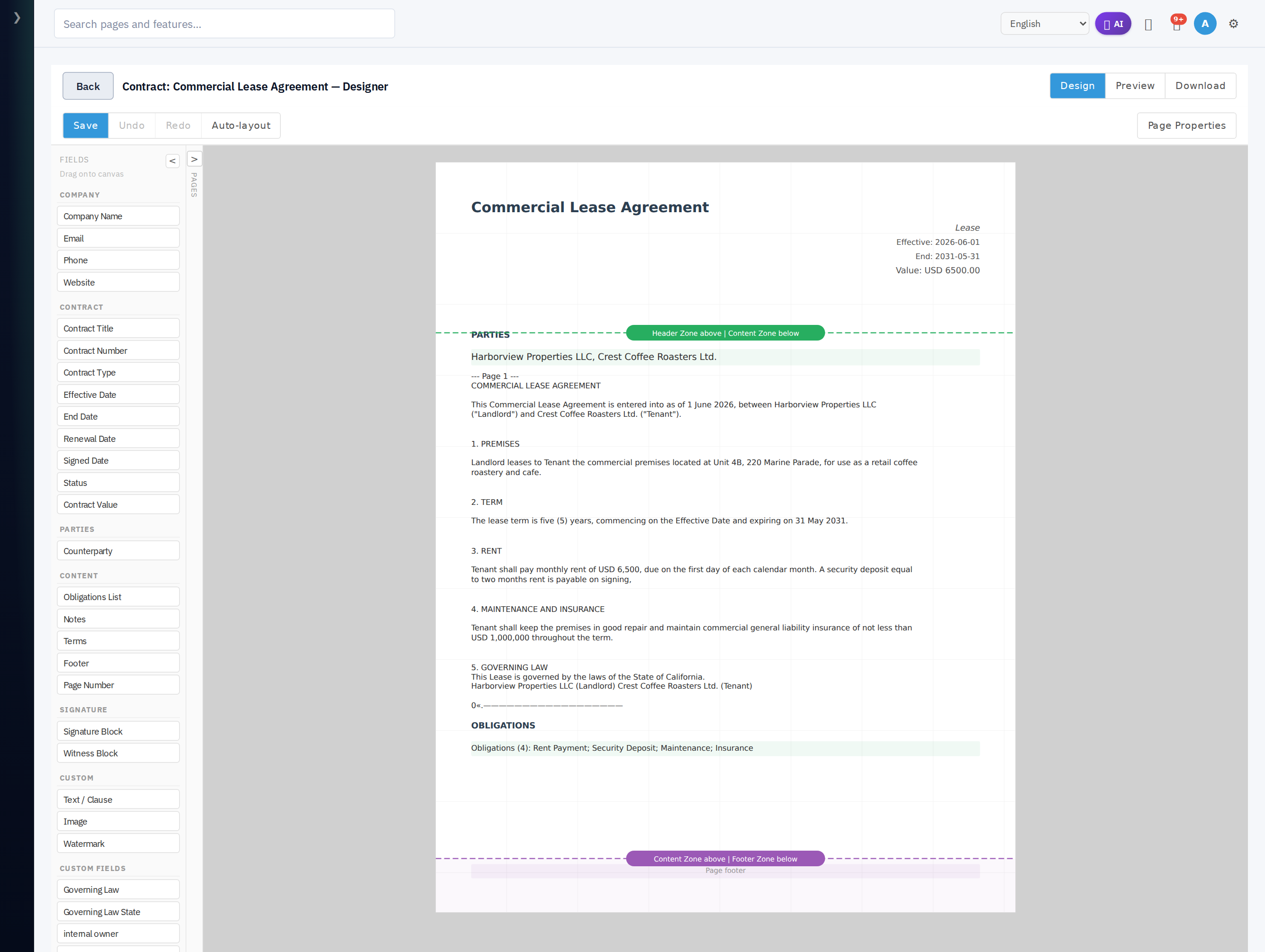
- Company - Company Name, Email, Phone, Website
- Contract - Contract Title, Contract Number, Contract Type, Effective Date, End Date, Renewal Date, Signed Date, Status, Contract Value
- Parties - Counterparty
- Content - Obligations List, Notes, Terms, Footer, Page Number
- Signature - Signature Block, Witness Block (see below)
- Custom - Text / Clause, Image, Watermark
Your contract custom fields (e.g. Governing Law) also appear as draggable chips.
There is no line-items table, subtotal, or tax field - those are invoice-only. Contracts instead carry the clause body and the Obligations List, which renders the contract's obligation schedule.
Signature and Witness blocks
Two contract-only fields place signing areas on the page. Drop a Signature Block (or Witness Block) and the inspector adds signature-specific controls:
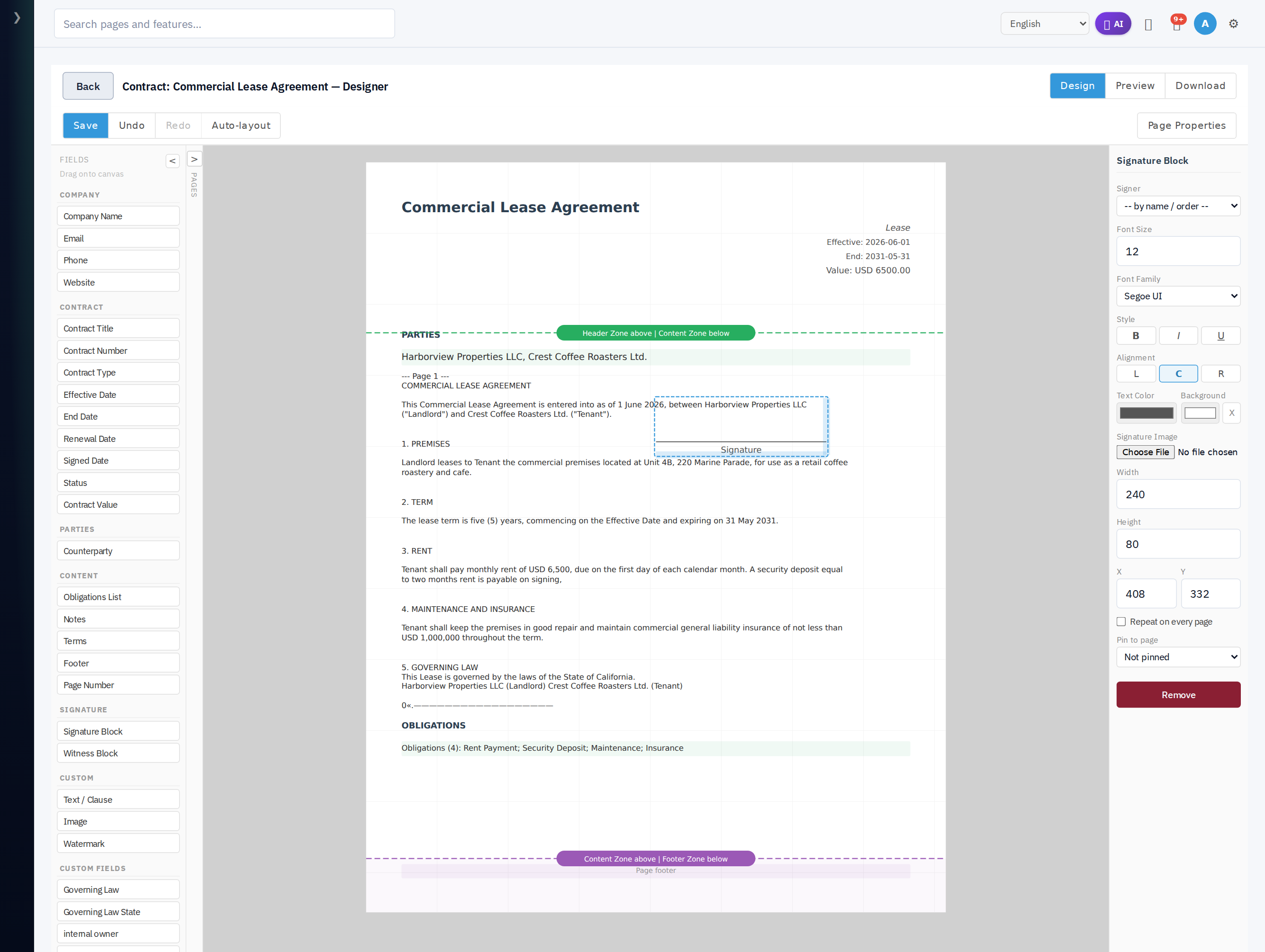
- Signer - bind the block to a specific signatory, or leave it
-- by name / order --to fill by signing order. A Witness Block shows a Witness for dropdown instead, binding it to the signatory it witnesses. - Signature Image - optionally attach a signature image to the block.
- Repeat on every page - keep the block on every page (e.g. initials).
At signing time each block is filled with the bound party's captured signature. Auto-layout already places one signature block per signatory, with that signatory's witnesses stacked alongside.
Clause-aware body
Auto-layout builds the canonical contract layout: a header band, the numbered clauses as Text / Clause blocks, then the signature blocks. Each clause block keeps a stable clause identity, so when a long clause splits across pages the continuation stays tied to the same clause.
Edit clause text in place - select a Text / Clause block and edit its content. There is no raw-HTML editing mode; the designer is drag-drop with Design and Preview only.
Page layout differences
Contracts are multi-page legal documents, so the designer defaults differ from invoices:
- Repeat header on each page and Repeat footer on each page are on by default for contracts (off for invoices). Every page carries the contract header band and footer.
- The body flows through a header-zone / content-zone / footer-zone model: content paginates between the zones while the header and footer zones repeat on each page. That is why a paginated contract does not get the "headerless page 2" gotcha that an invoice can - the header zone is repeated by default.
You can still toggle these off in Page Properties if you want a header only on page 1.
Editing lock
A contract's designer becomes read-only once the contract leaves an editable status (it locks by status, not a manual flag). A locked contract shows Download only - Clone to a new Draft or Amend to change the layout. Invoices instead lock via an explicit editing-locked flag.
Next steps
- Invoice Designer - the shared designer mechanics in full
- E-Signatures - how the placed signature blocks get filled
- Obligations - what the Obligations List renders